
Download Mute – free keyword blocker for social media
Overview
Mute is a lightweight, privacy‑focused tool that empowers you to take control of the words you see on popular social platforms. By letting you create a custom blacklist of keywords, Mute automatically hides tweets, Facebook posts, and other status updates that contain those terms. Whether you’re fed up with constant political chatter, want to avoid spoilers for a TV series, or simply wish to declutter your newsfeed, Mute provides a simple, secure way to filter out unwanted content.
The application works as a browser extension for Chrome, a desktop widget for Windows and macOS, and a companion app for Android and iOS, ensuring a consistent experience across devices. Its intuitive interface lets you add or remove words in seconds, and the built‑in “Top 100” list offers a quick start for common topics. Mute updates regularly to stay compatible with platform changes, and because it runs locally on your device, your blacklist never leaves your computer, keeping your preferences private.
In short, Mute is the perfect ally for anyone who wants a cleaner, more personalized social media experience without the hassle of manually scrolling past unwanted posts.
Key Features & Benefits
- Custom keyword blacklist – add, edit, or remove words instantly.
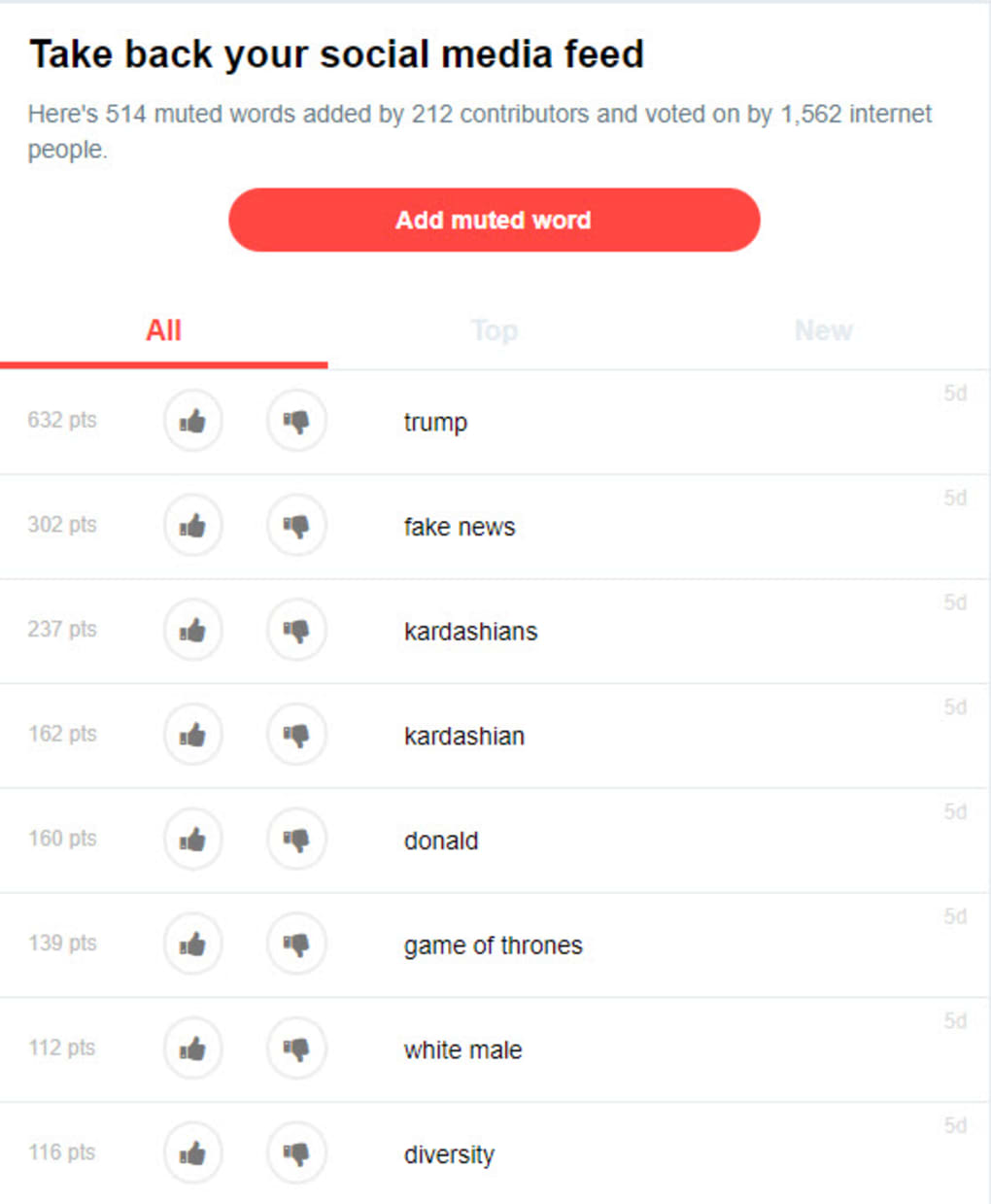
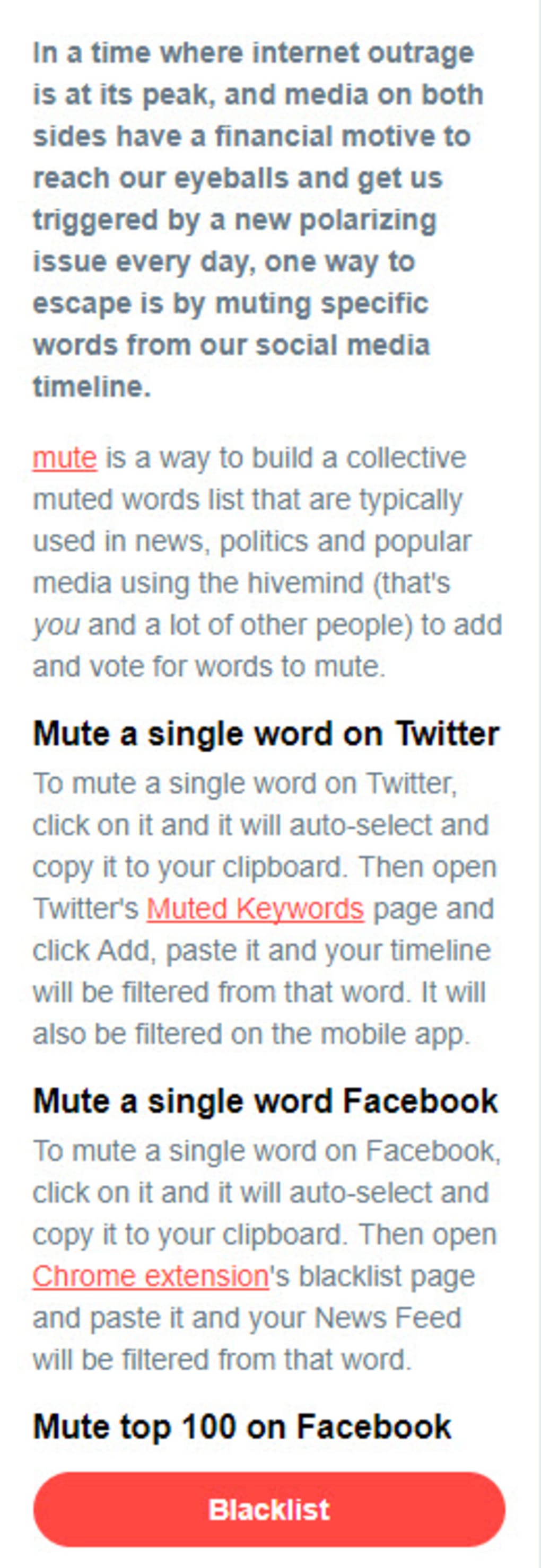
- Pre‑populated “Top 100” list – start blocking common topics with one click.
- Cross‑platform support – Chrome extension, Windows/macOS desktop, Android & iOS apps.
- Real‑time filtering – posts are hidden as soon as they appear in your feed.
- Privacy‑first architecture – all data stays on your device, no cloud sync.
- Automatic updates – ensures compatibility with the latest Facebook and Twitter UI changes.
- Lightweight performance – consumes minimal RAM and CPU resources.
- Easy enable/disable toggle – switch filtering on or off without reinstalling.
Beyond the core functionality, Mute offers several practical benefits that enhance everyday browsing. By removing repetitive or stressful content, users often report reduced anxiety and a more focused timeline, which can improve overall mental well‑being. The tool also helps professionals avoid brand‑specific jargon or competitor mentions while researching, keeping their workflow efficient.
For parents, Mute can act as a first line of defense against unwanted political or mature language on their children’s devices, complementing existing parental controls. Because the extension works directly in the browser, there’s no need for additional accounts or subscriptions; the free version already includes unlimited keyword entries, while a premium tier adds cloud backup for those who prefer syncing across multiple machines. Overall, Mute combines simplicity with powerful customization, making it an essential addition to any social media toolkit.
Installation, Usage & Compatibility
Getting started with Mute is straightforward, regardless of your operating system. For Chrome users, visit the Chrome Web Store, click “Add to Chrome,” and confirm the permission request. The extension icon appears next to the address bar, where a single click opens the blacklist manager.
On Windows or macOS, download the installer from the official website; the wizard guides you through a typical installation process, after which Mute runs silently in the system tray. Mobile users can find Mute in the Google Play Store or Apple App Store; installation mirrors any standard app download, and the first launch prompts you to grant notification‑access permissions so the app can monitor incoming social media feeds. Once installed, open the Mute dashboard, type any word or phrase you wish to block, and hit “Add.” The tool instantly begins filtering, and you’ll notice offending posts disappearing from your timeline within seconds.
To fine‑tune results, use the “Preview” mode, which highlights filtered content without removing it, allowing you to adjust your list without missing important updates. Compatibility-wise, Mute supports the latest versions of Windows 10/11, macOS 12+, Android 9+, iOS 13+, and Chrome latest. The development team monitors API changes from Facebook and Twitter, releasing patches within 48 hours of any major platform update, ensuring continuous, reliable operation.
Pros, Cons, FAQ & Final Verdict
Pros
- Highly customizable keyword blocking.
- Works across all major browsers and mobile platforms.
- Free version offers unlimited entries.
- Local data storage protects privacy.
- Lightweight and does not slow down browsing.
Cons
- No built‑in AI to suggest new keywords.
- Filtering depends on platform UI; occasional glitches after major updates.
- Premium features (cloud backup) require a subscription.
Frequently Asked Questions
Can I block phrases as well as single words?
Yes, Mute accepts any string of characters, so you can block multi‑word phrases like “climate change” or “Game of Thrones spoilers.”
Is my blacklist stored in the cloud?
By default, all keywords are saved locally on your device. Cloud backup is available only to premium subscribers.
Will Mute affect the performance of my browser?
No. Mute is designed to be lightweight, using less than 5 MB of RAM and negligible CPU cycles.
Can I temporarily disable the filter?
Yes, a single toggle button in the extension’s toolbar lets you turn filtering on or off instantly.
Is Mute compatible with other social platforms like Instagram?
Currently, Mute supports Facebook, Twitter, and LinkedIn. The development roadmap includes Instagram and TikTok in upcoming releases.
Conclusion & Call to Action
Overall, Mute delivers a robust, privacy‑centric solution for anyone tired of unwanted words crowding their social feeds. Its cross‑platform availability, zero‑cost entry tier, and straightforward interface make it an excellent choice for casual users and power‑users alike. While it lacks AI‑driven suggestions and occasionally needs a quick patch after major platform updates, the benefits far outweigh these minor drawbacks. If you’re looking to reclaim a calmer, more focused timeline without sacrificing convenience, download Mute today and start customizing your social experience within minutes.



.png)



